Best suited for
- Dental and medical clinics
- Multi-doctor practices
- Teams replacing calendars and spreadsheets
Clinic OS connects appointments, patient communication, billing and follow-up so your team can stay focused on care—not calls, reminders and spreadsheets.
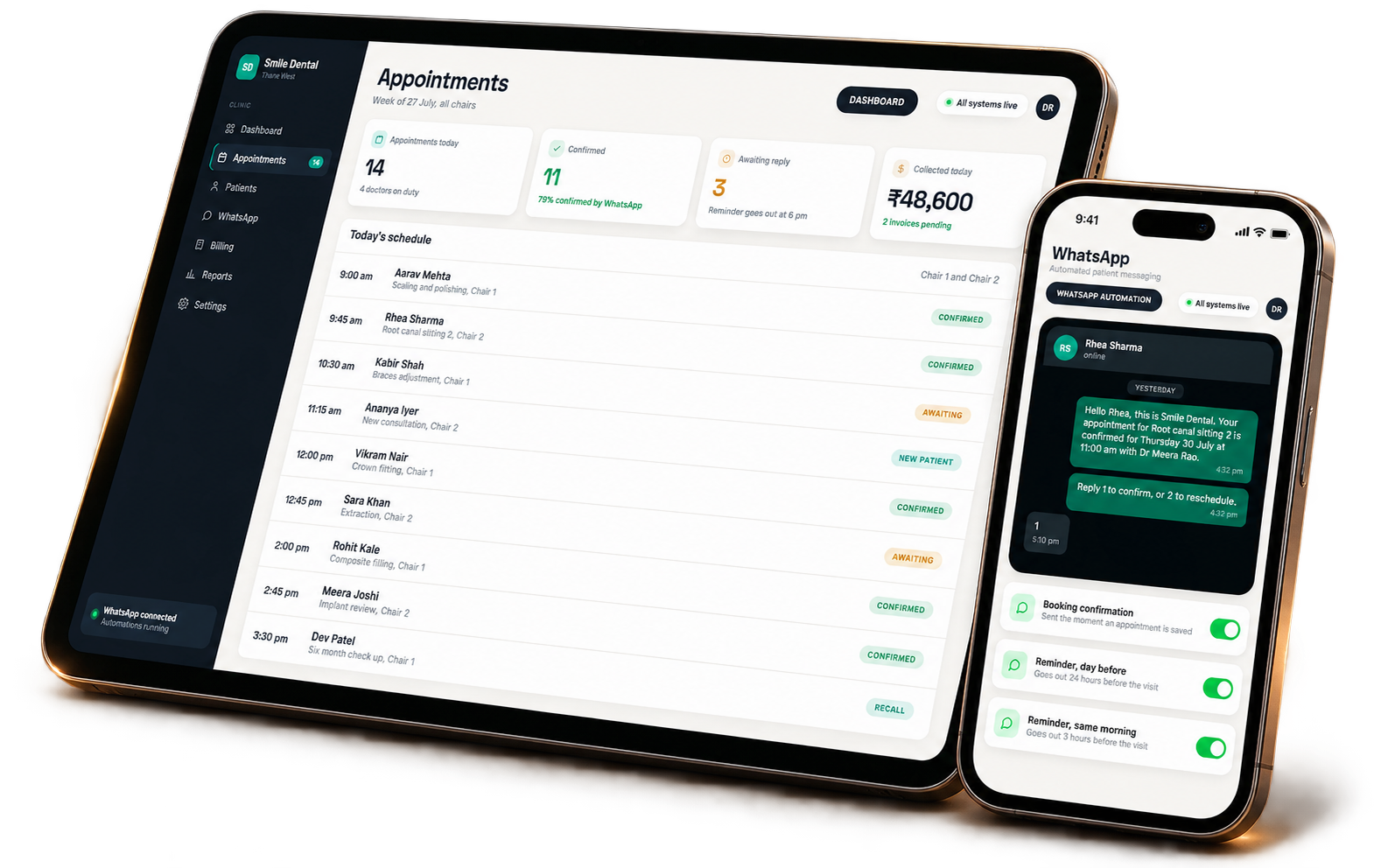
One system from appointment to payment
Always-on patient follow-up
Optional AI voice agent
Product overview
Clinic OS is a web-based clinic management system that connects appointments, WhatsApp patient communication, billing, receipts, follow-up and operational reporting. It gives the front desk, doctors and clinic owners one dependable workflow from the first booking to payment and recall.
Reviewed by the Digifocal product team ·
Designed for busy clinics that want fewer missed hand-offs, a calmer front desk and a clearer view of the business.
See every chair, doctor and patient in one clear schedule—then book, reschedule or cancel without calendar chaos.
Send confirmations and timely reminders automatically, with simple patient replies that reduce back-and-forth calls.
Create tax-ready bills, record payments, issue receipts and keep outstanding balances visible from the same workflow.
Keep the information your team needs close at hand so every interaction feels organised and personal.
Understand collections, confirmations and clinic activity without stitching together spreadsheets at the end of the day.
Answer calls around the clock, handle common questions and book, move or cancel appointments directly in the calendar.
A clearer operating rhythm
Clinic OS keeps the experience moving from the first booking to the next recall—without leaving critical steps to memory.
Manage the day from one live calendar, whether the booking starts at the desk or through the voice agent.
Automated WhatsApp confirmations and reminders reach patients at the right moment.
Generate the bill, record payment and send the receipt without jumping between tools.
Recall and follow-up workflows help your team protect long-term patient relationships.
Purpose-built screens that turn a complex workflow into a calm, focused experience.
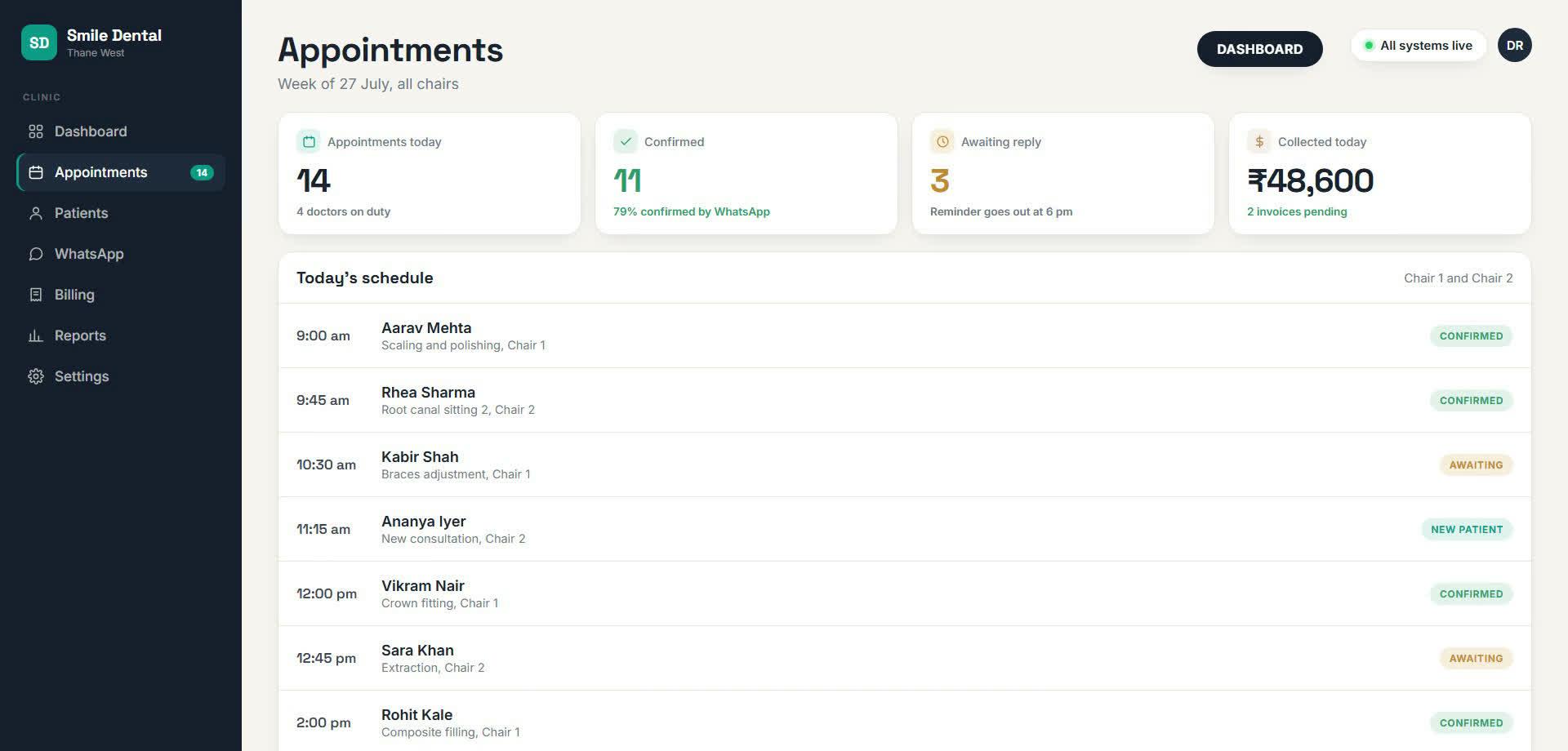
Appointments, confirmation status, chair allocation and daily collection context come together in one operational view.
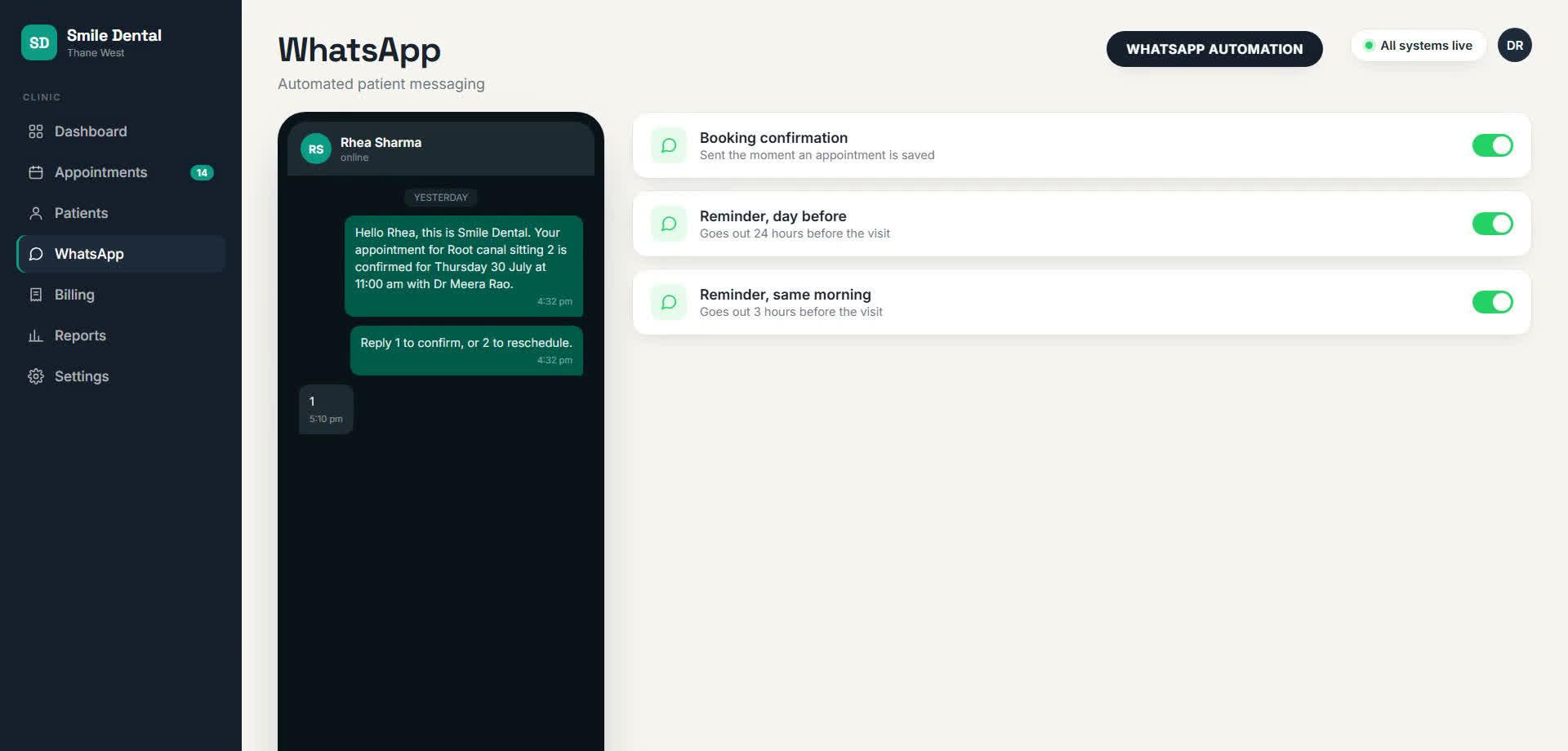
Clinic OS can confirm a booking when it is saved, remind the patient the day before and follow up again on the morning of the visit.
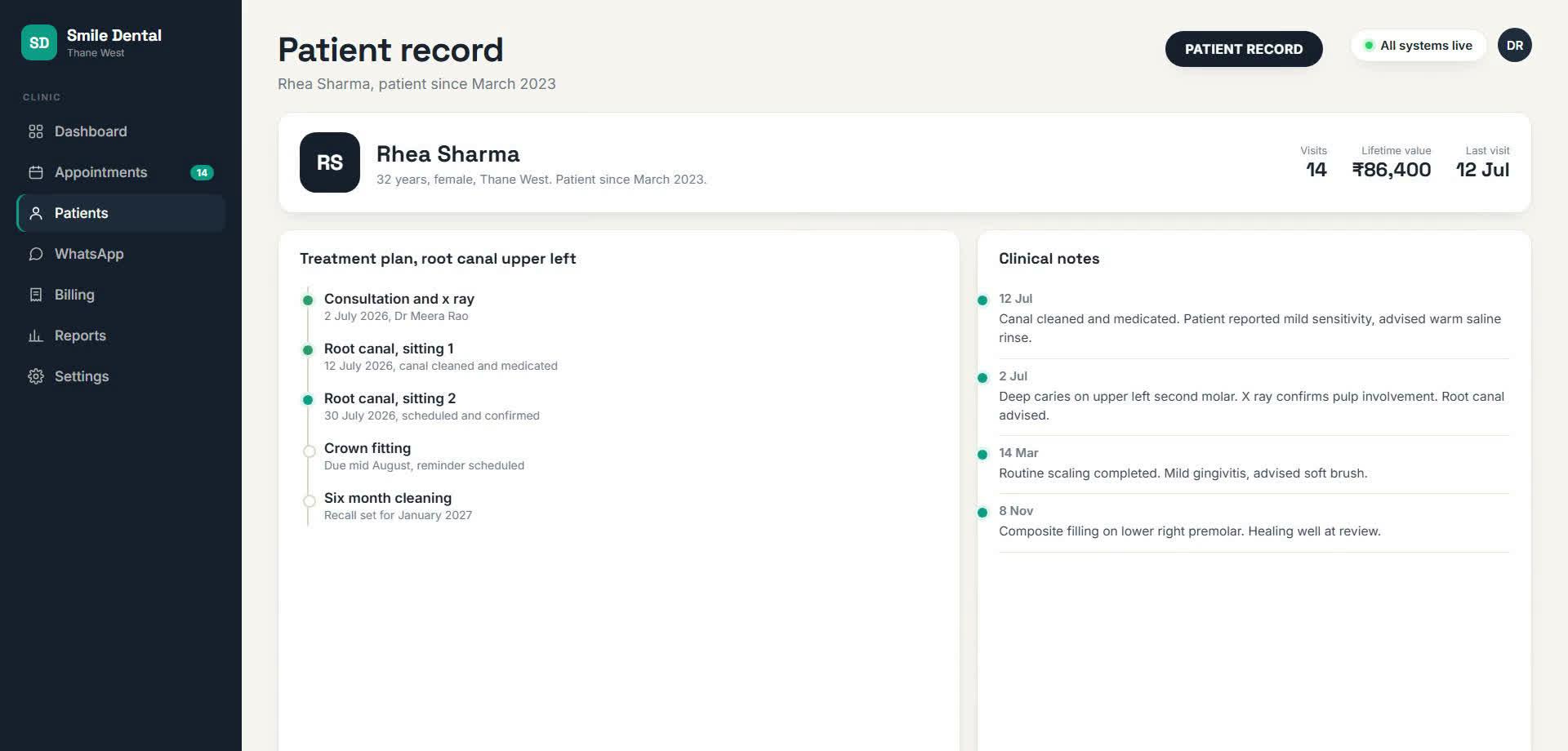
Keep services, tax, payment status, receipts and outstanding balances connected to the visit—clear for the front desk and the owner.
Questions, answered
Clear answers for teams evaluating the product, its workflow and how it fits their operations.
Clinic OS is Digifocal's web-based clinic management system for appointments, patient communication, billing, receipts, follow-up and operational reporting. It gives the front desk, doctors and clinic owners one connected workflow from booking to payment.
Clinic OS is designed for dental clinics, medical clinics and multi-doctor practices that want to replace disconnected calendars, manual reminders, spreadsheets and separate billing tools with one operating system.
Yes. Clinic OS can send WhatsApp booking confirmations and scheduled appointment reminders, helping the clinic reduce manual follow-up and keep patients informed before their visit.
Yes. Clinic OS connects services, tax, payments, receipts and outstanding balances to the patient visit, so billing remains part of the same operational workflow.
Clinic OS can include an optional AI voice receptionist that answers common questions and helps patients book, reschedule or cancel appointments through the live clinic calendar.
Book a product walkthrough with Digifocal. The team can review your doctors, chairs, appointment flow, patient communication and billing process, then demonstrate how Clinic OS would fit the way your clinic works.
See how Clinic OS can fit your doctors, chairs, communication flow and billing process in a focused product walkthrough.
Talk to our team